

What is ELM?
ELM (Earned Logic Merit) is a gameplay resource unit mainly earned from GRID Puzzle. It can also be earned from some other GRID activities. ELM is used for Guild creation, Event participation, items, and other GRID features.
How to get ELM?
There are two ways to obtain ELM.
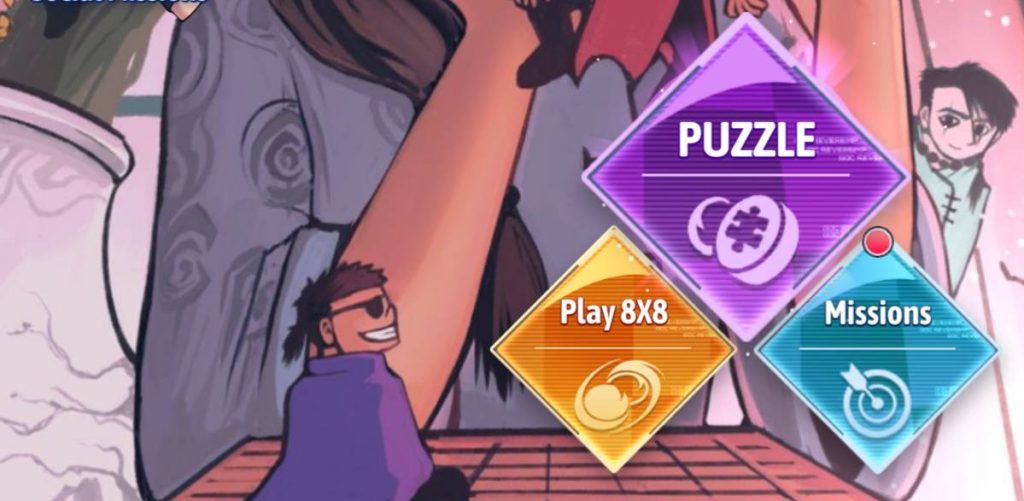
- The first way: Mine ELM in Puzzle Mode.
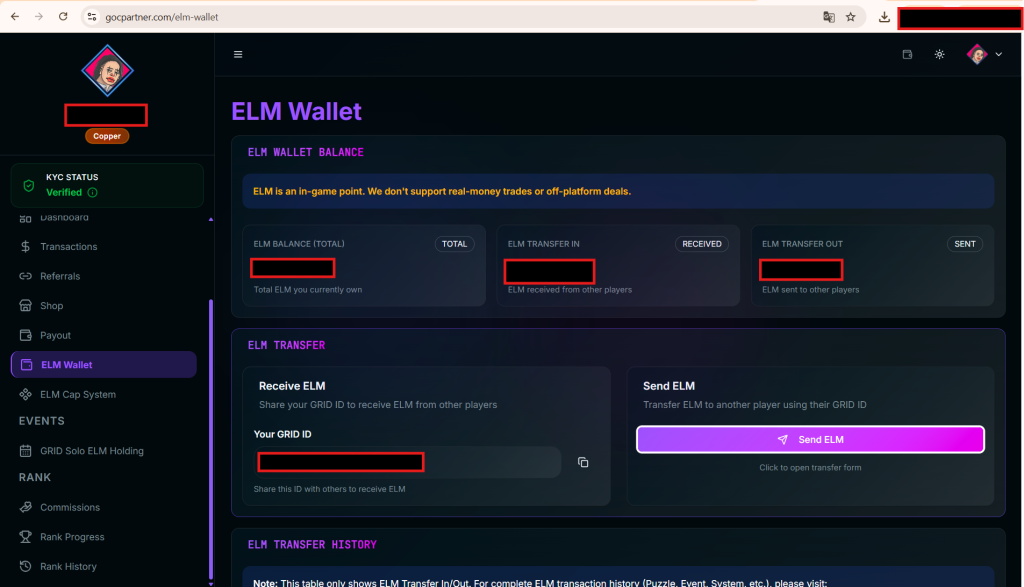
- The second way: Others transfer ELM to you using the ELM wallet function in GOC PARTNER.
How to mine ELM in Grid of Change?
- Step 1: Enter Puzzle Mode in Grid of Change.
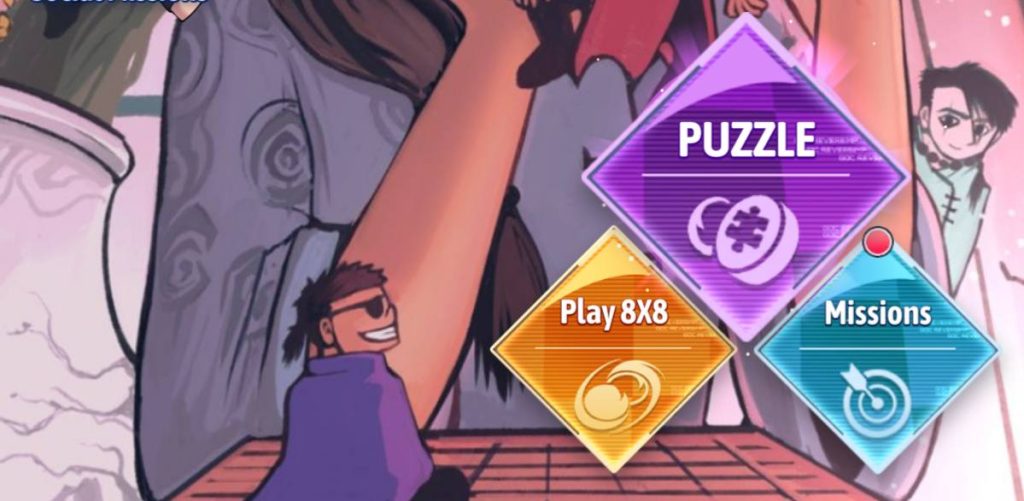
- Step 2: Choose a level in Puzzle Mode to play.
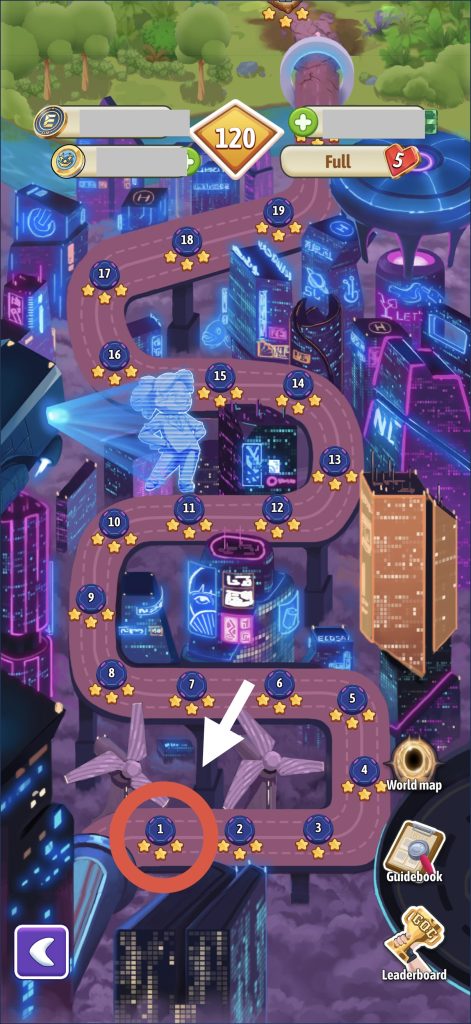
- Step 3: Play that level and wait for the ELM drop notification. (The amount of ELM dropped each time is random)
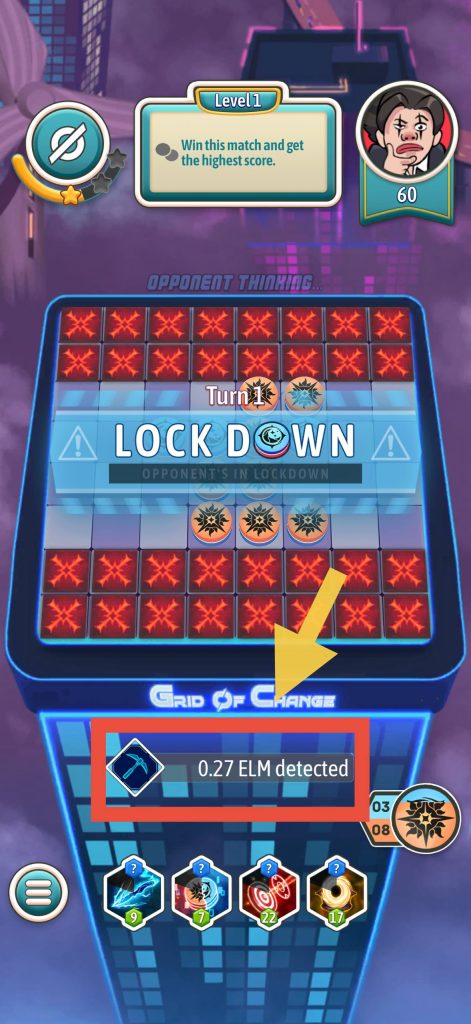
- Step 4: When the ELM notification appears (usually after about 5-10 moves), you just need to win that level to mine the announced ELM. If there is no notification, then that level does not contain ELM, and you cannot mine it even if you win.
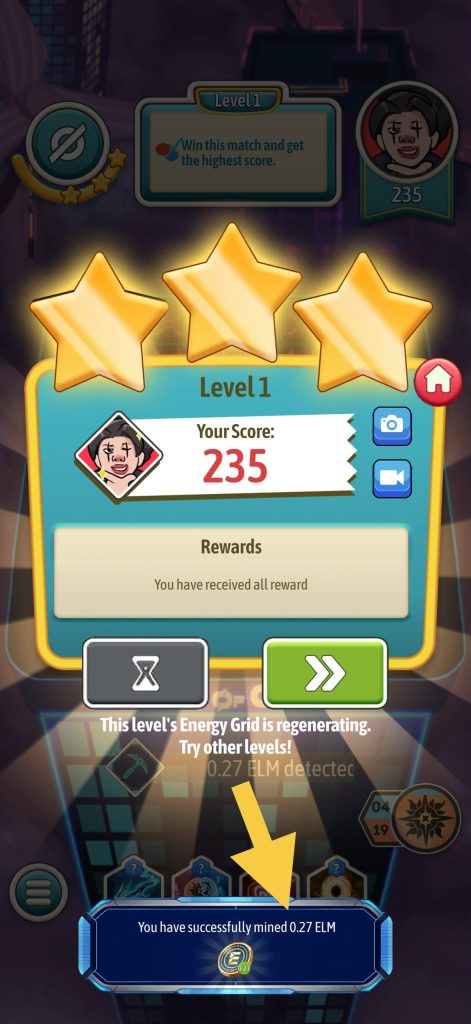
Why can’t you mine ELM even after winning that level?
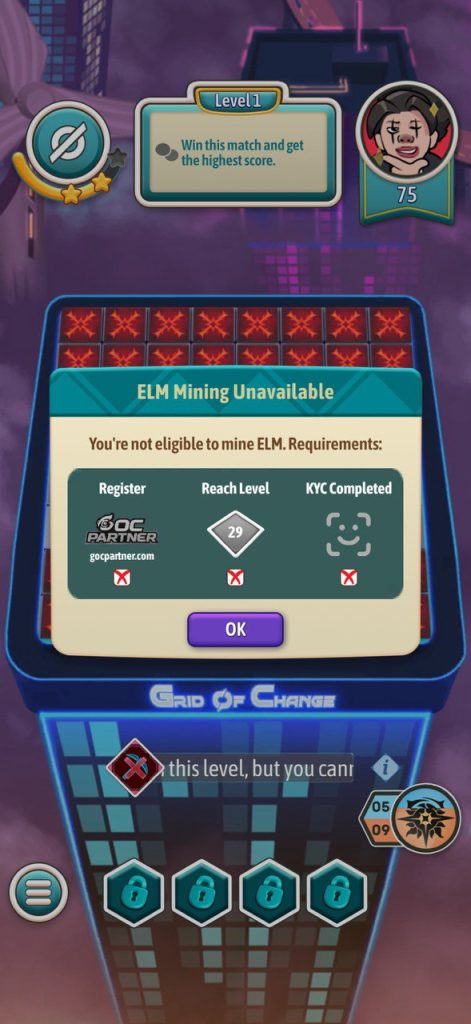
You need to check if your account is eligible to mine ELM. There are 3 conditions required to mine ELM:
- First: Your account must be registered by Goc Partner.
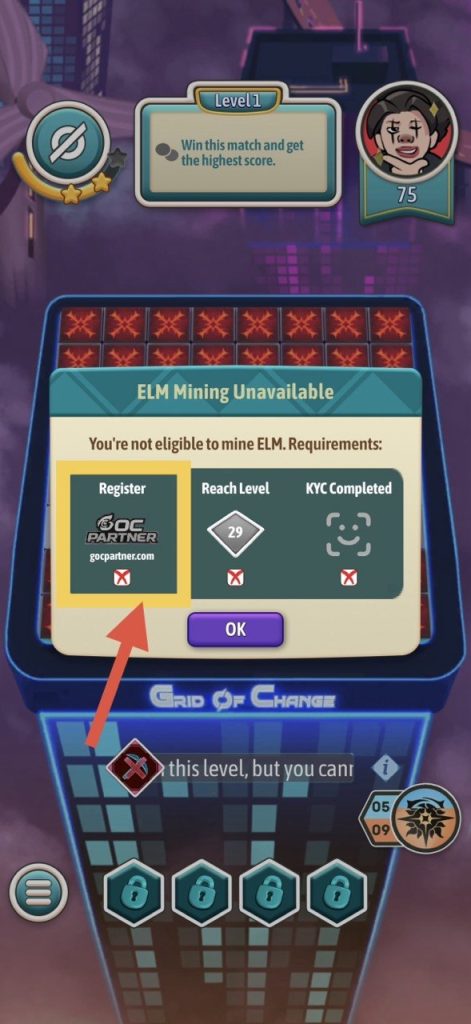
Remember to click Join Now in Goc Partner:

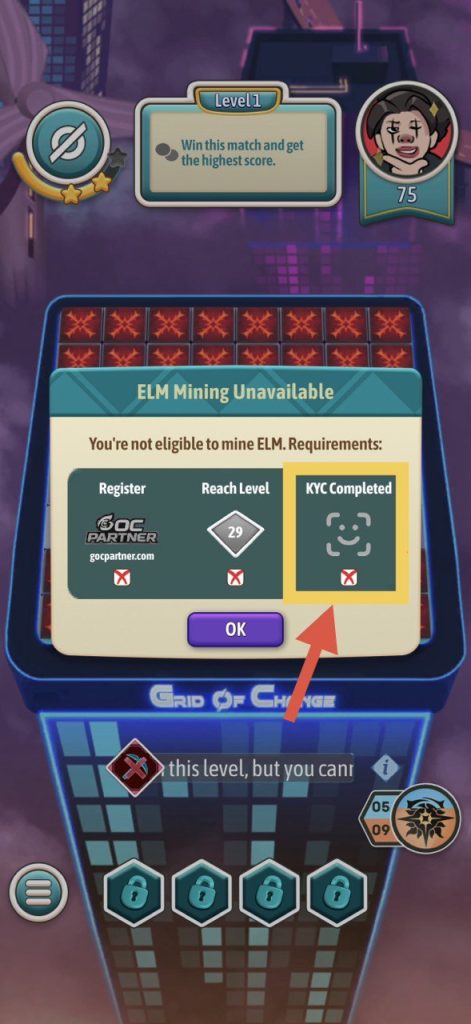
- Second: Your account must be KYC verified at Goc Partner. (KYC: Know Your Customer is a mechanism to verify user identity, ensuring they are real people and not robots or cheating tools.)
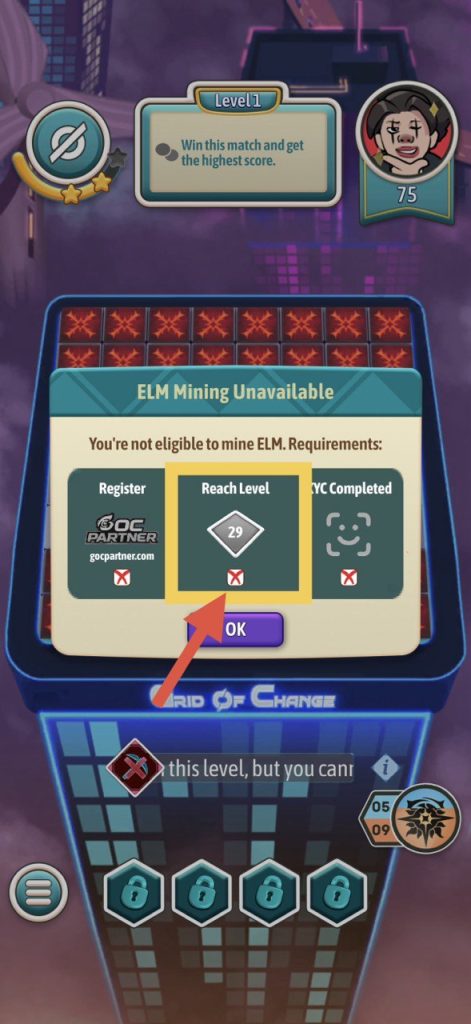
- Third: You must complete the minimum number of puzzle levels required. For example, if the game requires you to complete level 200, you need to complete level 200 to be able to mine ELM.
How to register a Goc Partner account?
Method One:
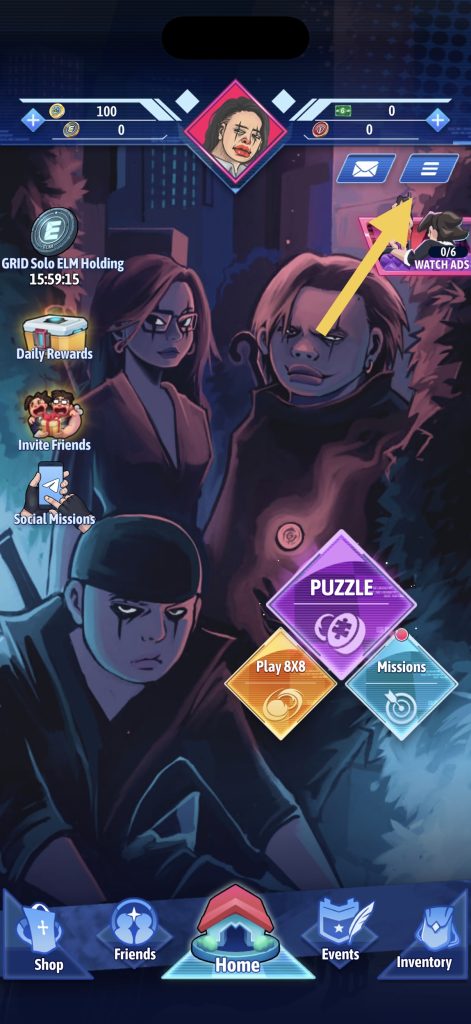
- Step 1: Click on the three horizontal lines in the upper right corner of the Grid Of Change main screen.
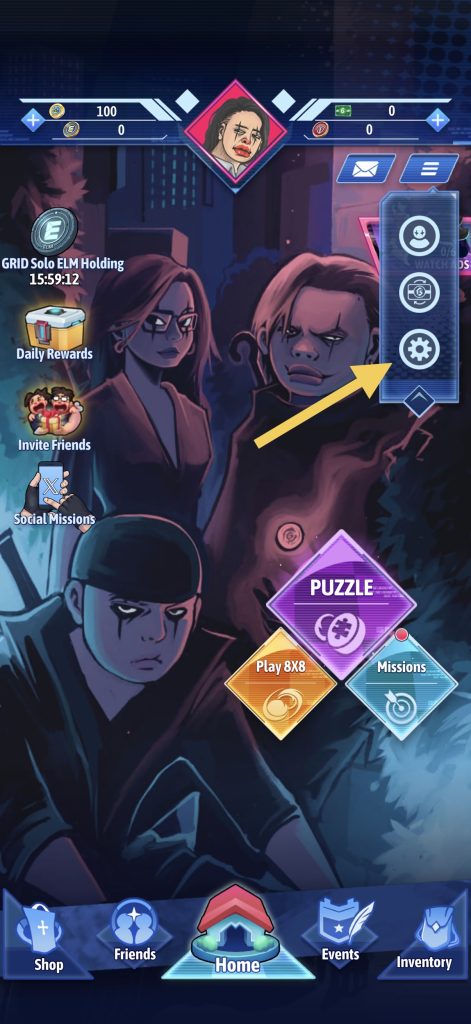
- Step 2: Click on the gear icon.
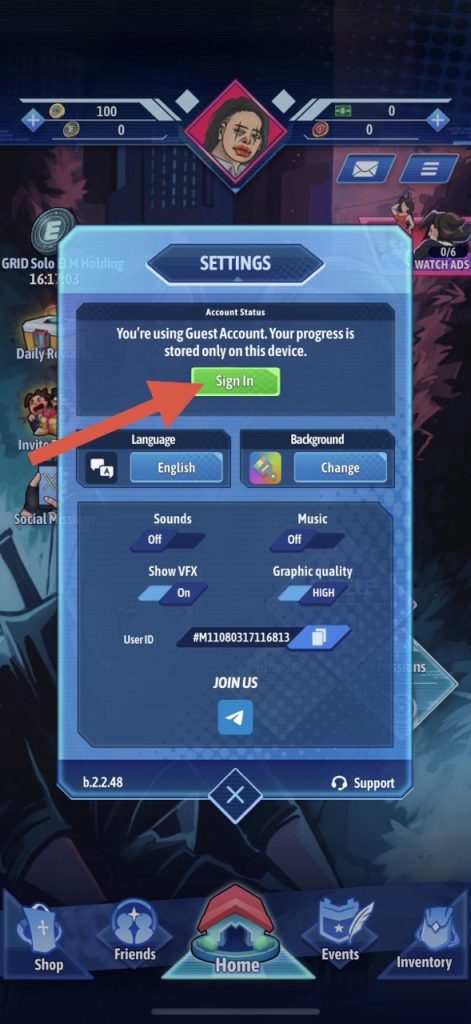
- Step 3: Click Sign In
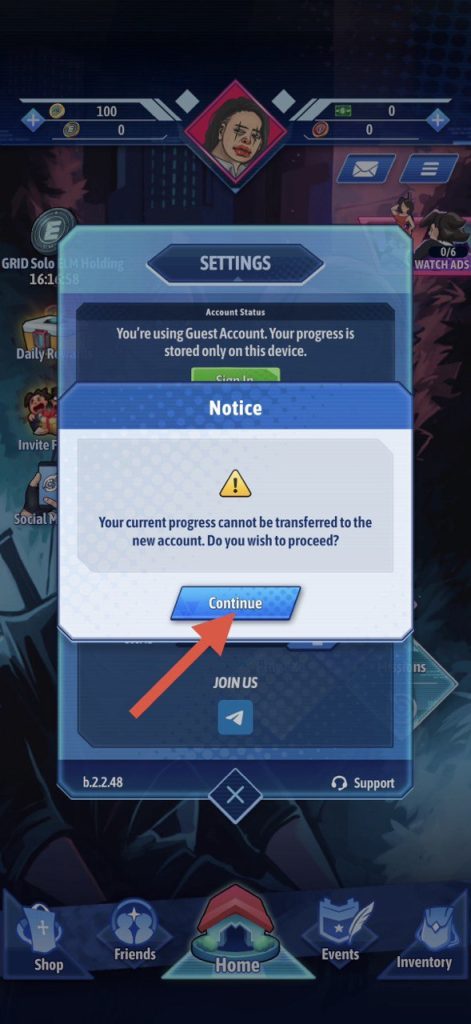
- Step 4: Click Continue
- Step 5: Click Register
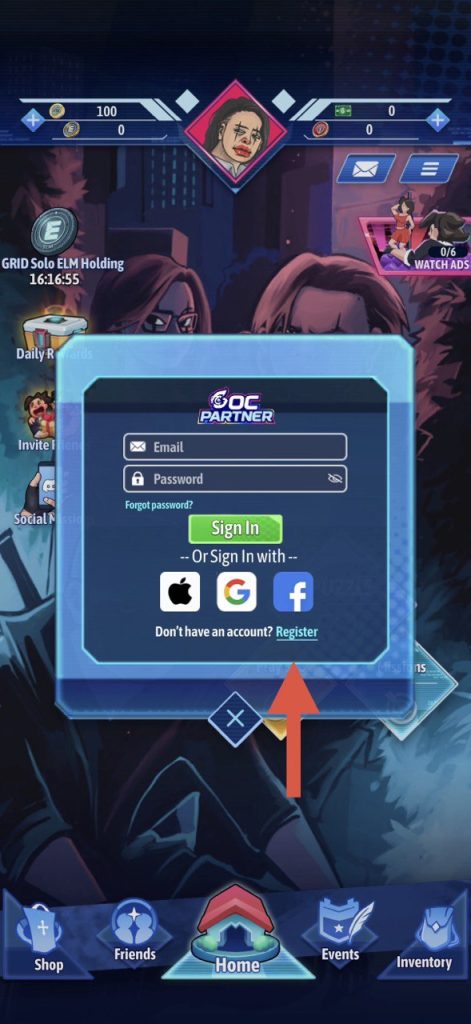
- Step 6: Fill in the information on the account registration form.
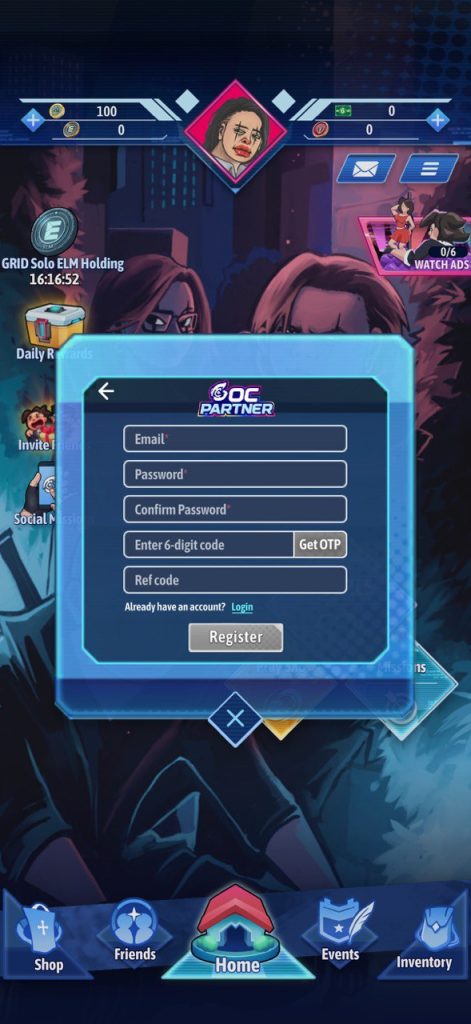
Method Two:
Visit https://gocpartner.com/ to register an account.
How to complete KYC on Goc Partner?
- Step 1: Access https://gocpartner.com/
- Step 2: Click on the “i” icon in the upper left corner of the screen.
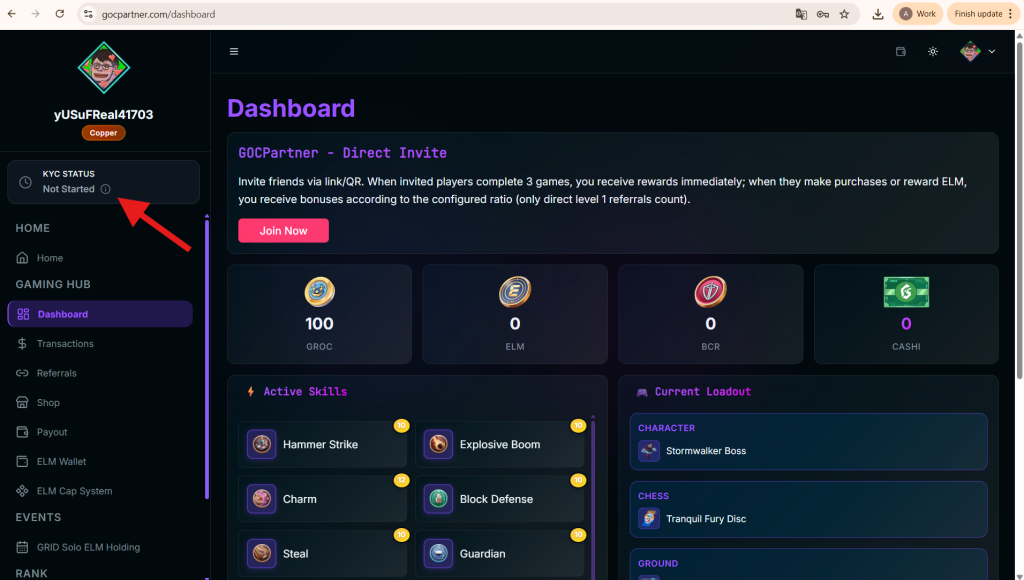
- Step 3: Click Setting KYC
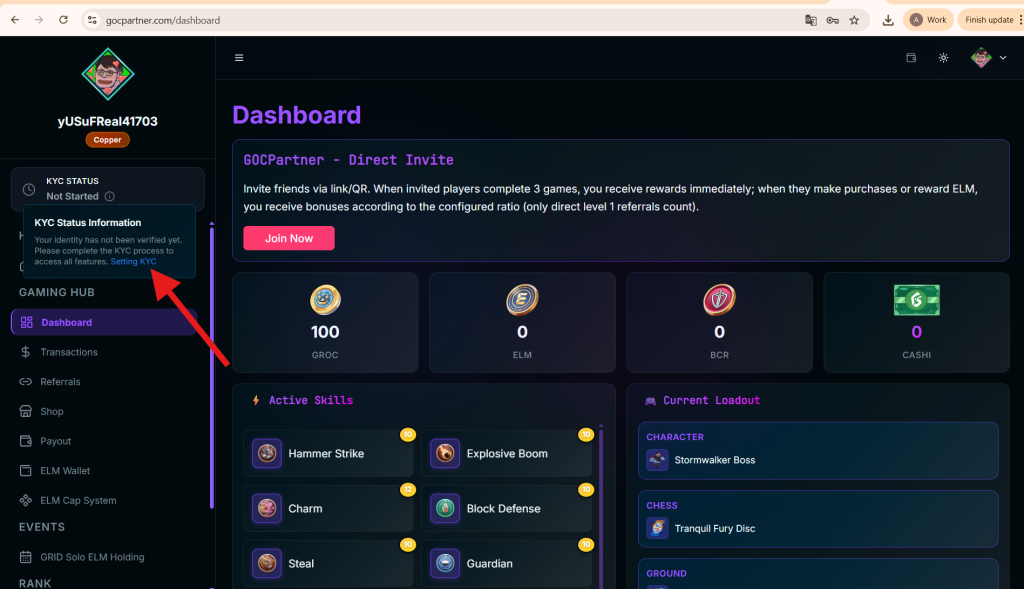
- Step 4: Click start KYC verification
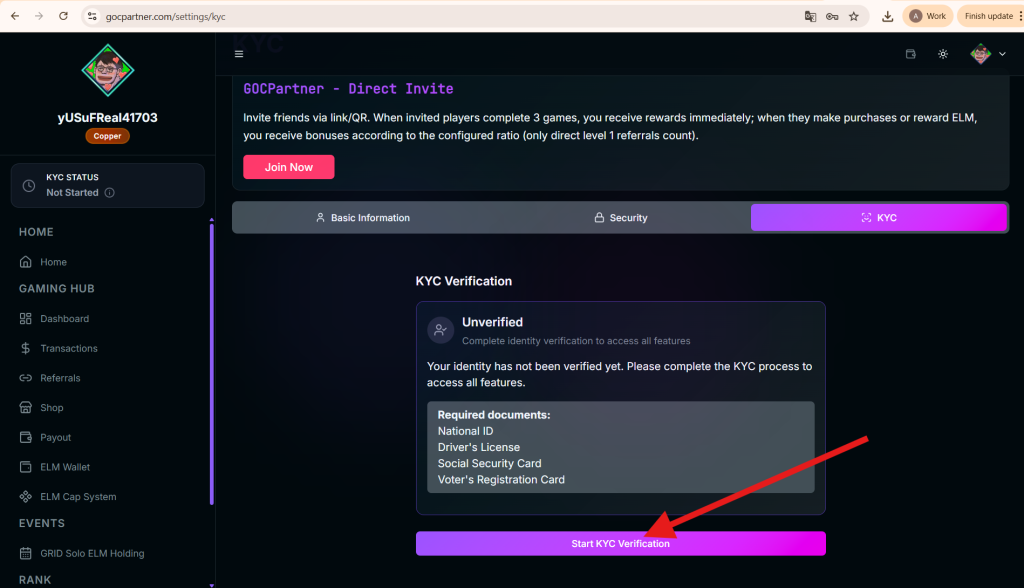
- Step 5: Click Continue
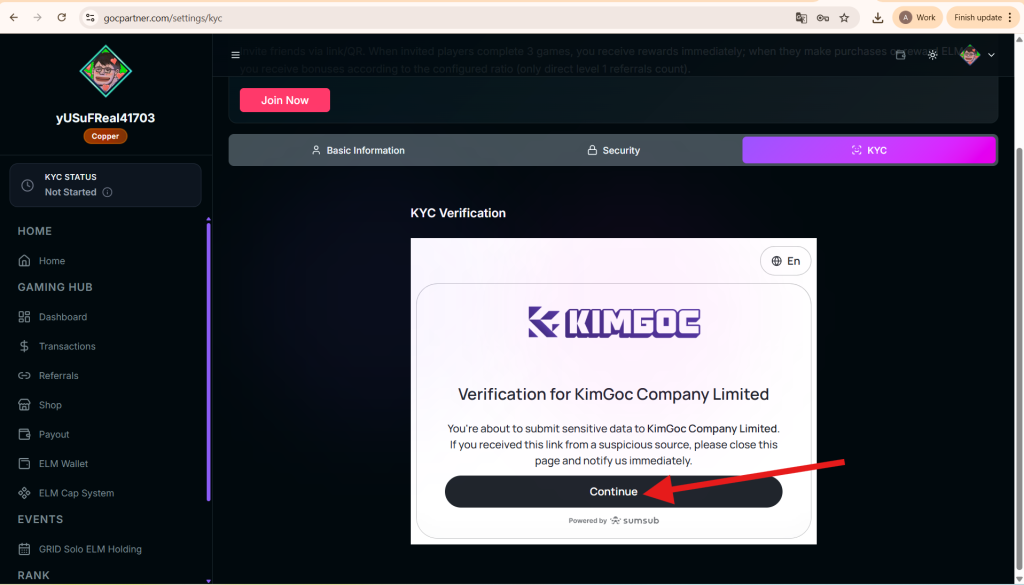
- Step 6: Click Start Verification
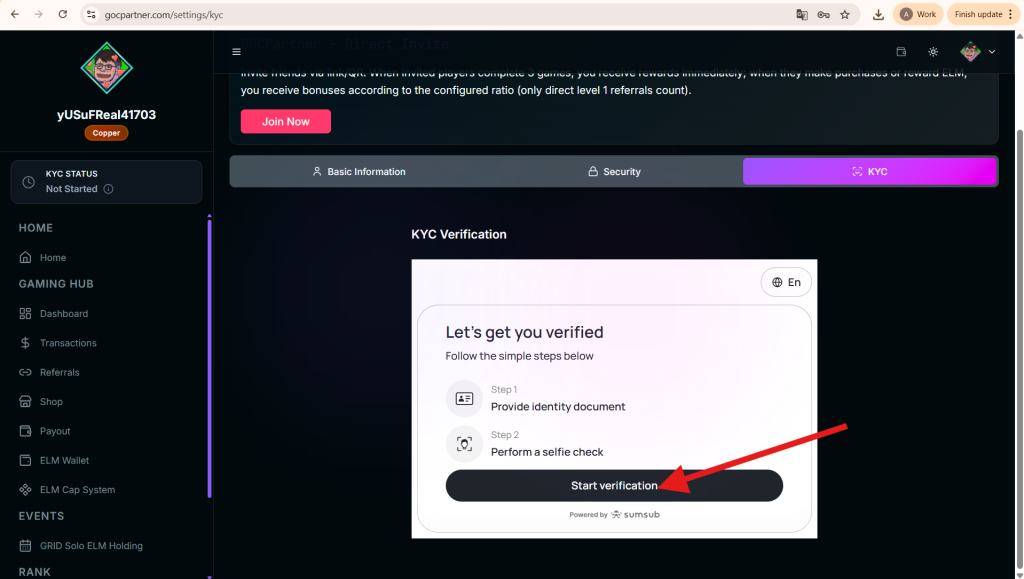
- Step 7: Read all the documents. After that, Click Agree and continue if you agree.
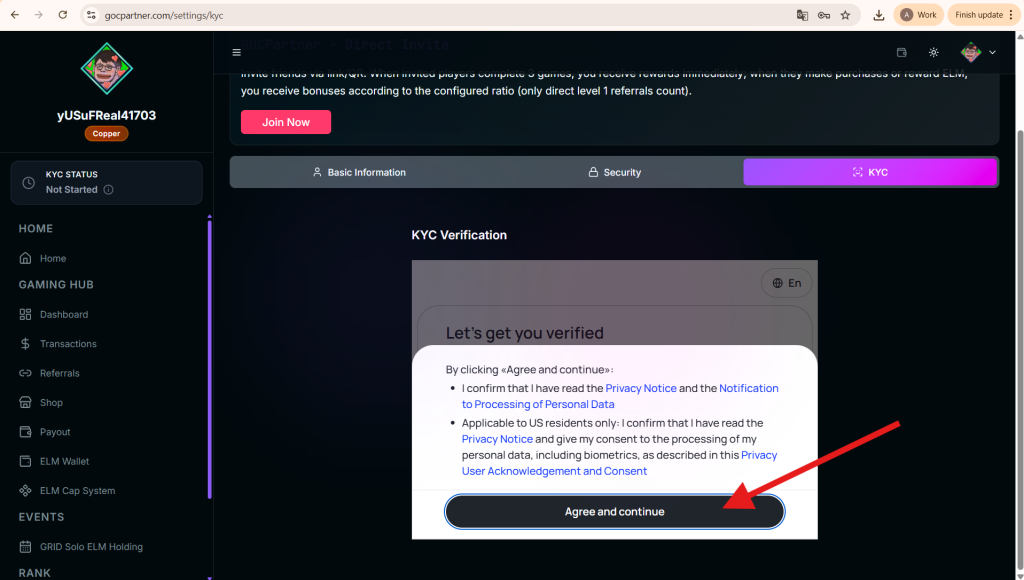
- Step 8: Select your country and the documents you wish to use for KYC.
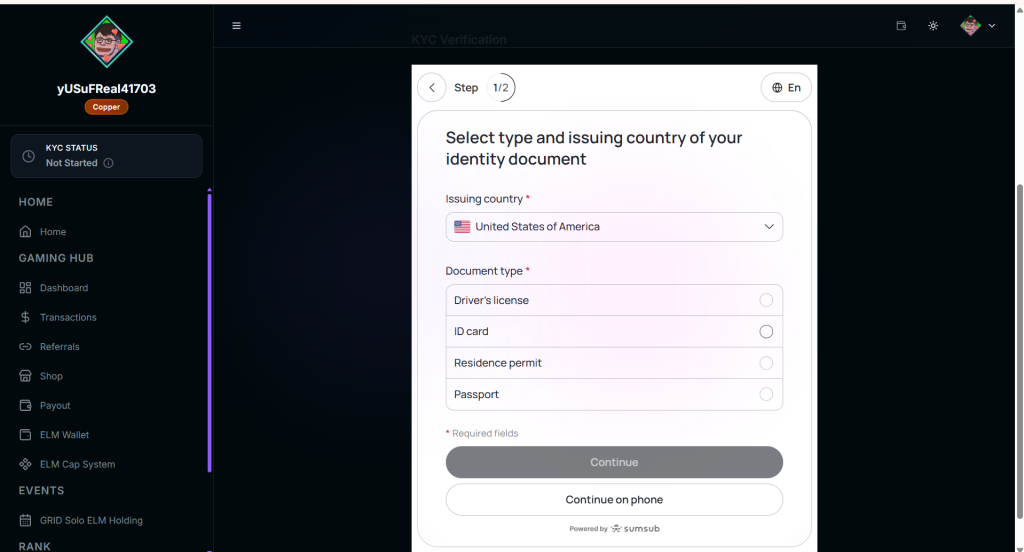
- Step 9: Upload the documents and click Upload document
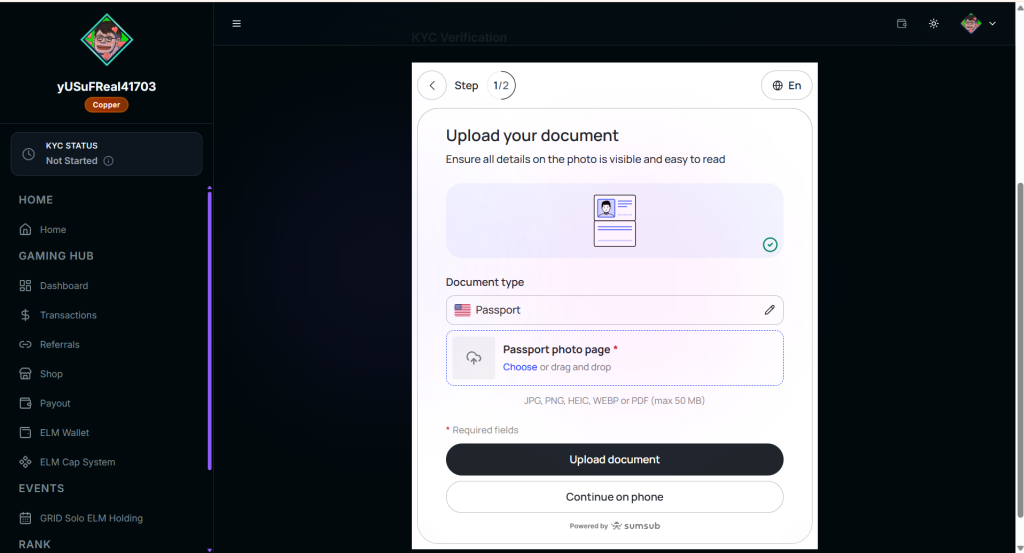
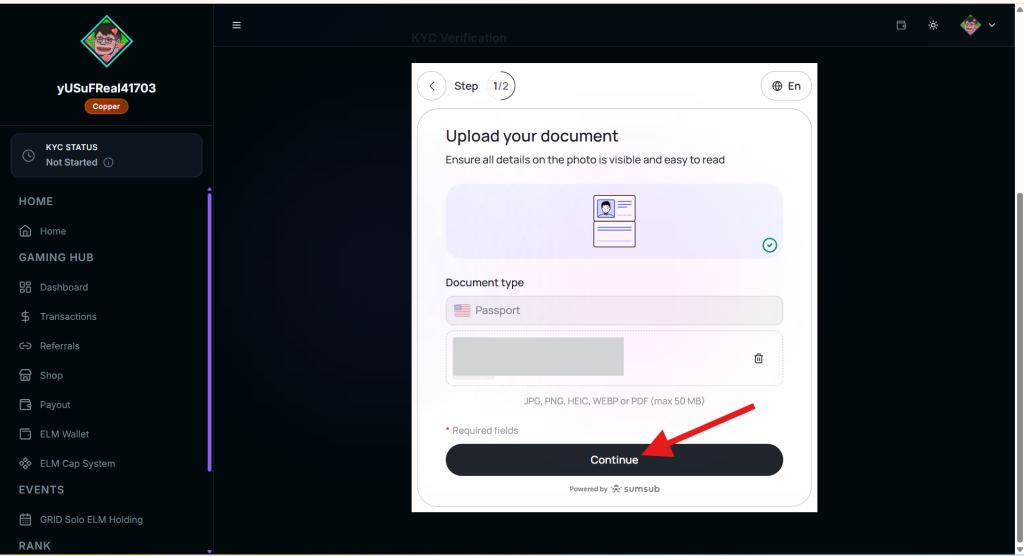
- Step 10: Click continue if everything is okay.
- Step 11: Choose a device to take a selfie with and take a selfie (This step proves that you and the person whose identification you provided are the same person.)
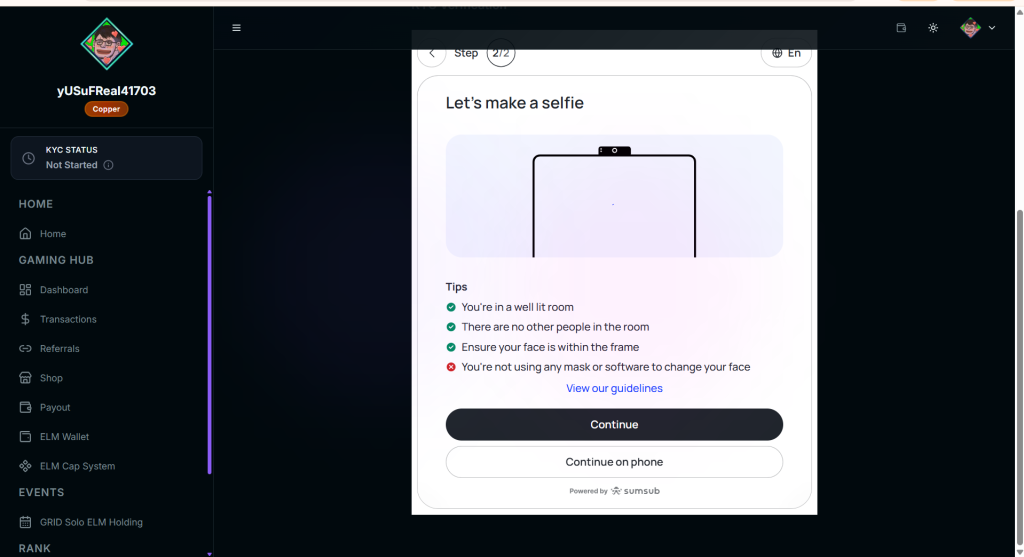
- Step 12: Once everything is done, you just need to wait until KYC is successful.
How do I transfer ELM to someone else?
- Step 1: Access https://gocpartner.com/
- Step 2: Click ELM Wallet
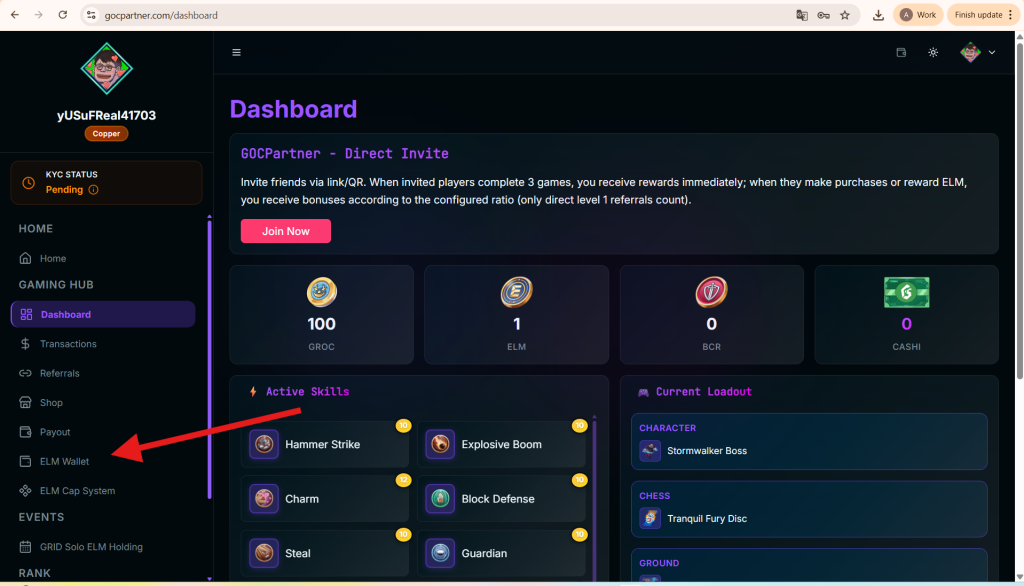
- Step 3: Click send ELM
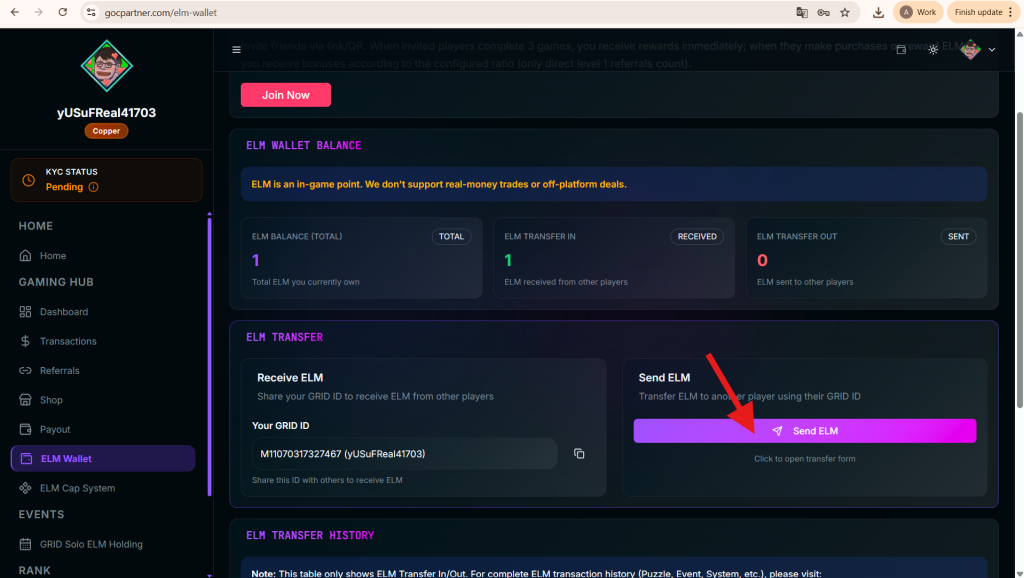
- Step 4: Fill in the required information
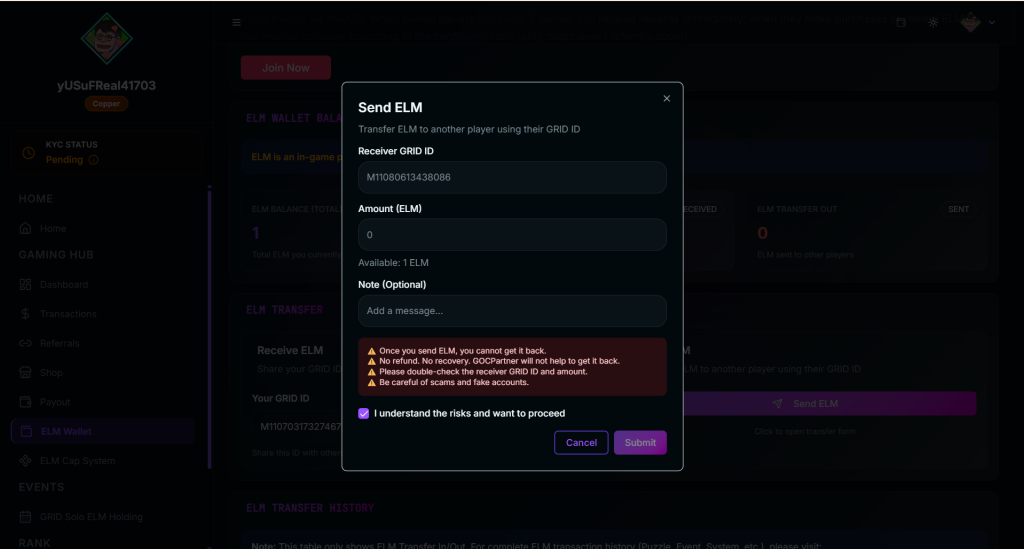
- Step 5: Click Submit
What is ELM used for?
ELM can be used to play in-game events, for example:
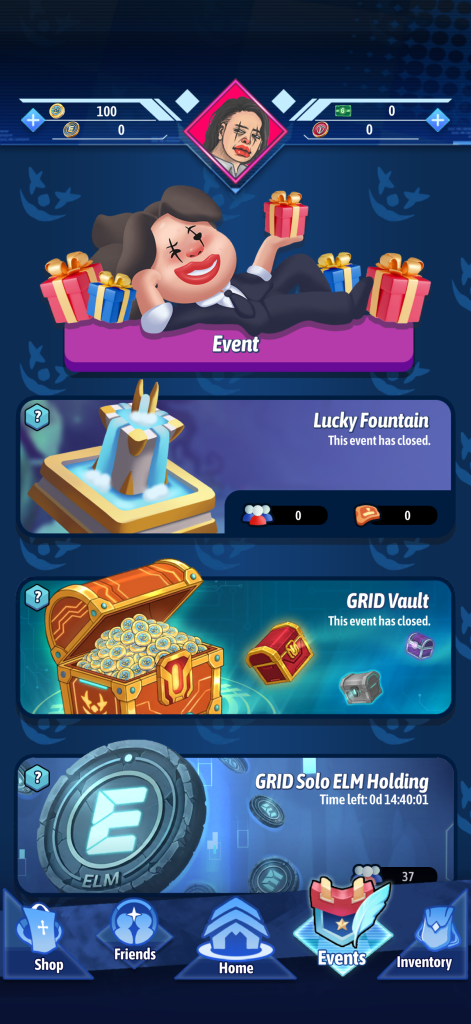
1. Lucky Fountain:
Players use ELM or BCR to exchange for tickets.
After the event ends, rewards will be divided according to the number of tickets each person has.
Example:
If there are 200 tickets, and you have 100 tickets, you will receive half the reward (50%).
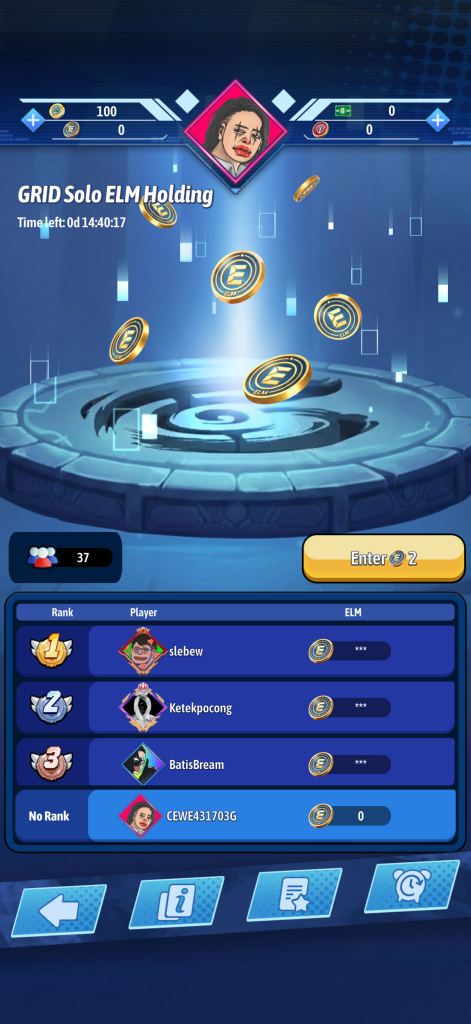
2. Grid Solo ELM Holding:
You need to use a small amount of ELM to participate in the race.
Each event will require you to have a minimum amount of ELM.
Example:
You need to pay 2 ELM to participate. And you must have at least 20,000 ELM.
When the event ends: The person with the most ELM and meeting the eligibility requirements (having at least 20,000 ELM) will be the winner.
* Currently, you can only play the game using a guest account (deleting the app will permanently delete the account) or an account registered with GOC PARTNER (the account remains when the app is deleted). We no longer support logging in via Facebook, Google, or other services as they are very inconvenient.